Match order statuses to WhatsApp templates
Choose the store event, approved template and language, preview values and enable future updates.
- 1
Prepare the connections and template
Connect your store and WhatsApp, then create the order-update template in Message templates and submit it to Meta. Refresh the approval status. The store status is the trigger; the template is the message. They must be linked explicitly.
- 2
Open Order updates
Go to Message templates → Order updates. Choose the status under the correct store platform; Salla, Zid and Shopify use different status codes. Match the actual status shown on your store order rather than assuming similarly named statuses are identical.
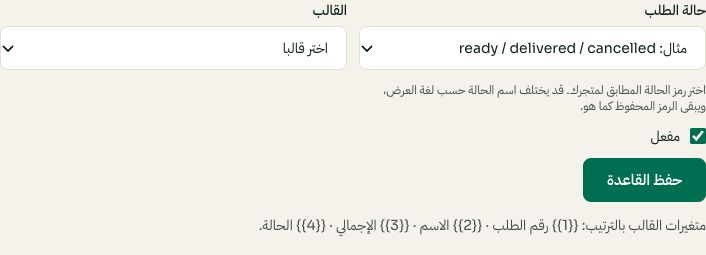
Match an order status to an approved template. Arabic interface shown; use the corresponding labels in your chosen language. Your available options and saved values may differ. Open the image to enlarge. - 3
Select, preview and save the rule
Choose the approved template and exact language. Read the preview and supported variables shown in the editor, enable the rule and save. Repeat for each required status. Review existing rows to avoid an unintended second message. Saving is configuration, not a request to resend every historical order.
- 4
Verify a controlled status change
Use an order belonging to a test customer you control. Confirm the new store event arrived in Moyafa and inspect the outgoing message status. If no message is sent, check the rule, template approval, WhatsApp connection, customer phone and event sync. A label or tracking link is only available after the provider supplies it.