Build, test and activate a workflow
Choose a trigger, connect conditions and actions, review the flow and avoid conflicting replies.
- 1
Create a flow for one clear task
Open Automations → Workflows. Create or edit a flow and choose its starting trigger, such as the supported message or keyword event. Begin with a single task—for example a welcome menu—rather than duplicating every assistant reply.
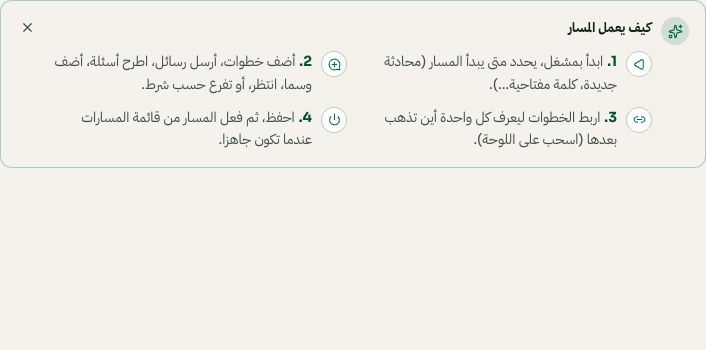
The workflow builder explains triggers, actions, connections and activation. Arabic interface shown; use the corresponding labels in your chosen language. Your available options and saved values may differ. Open the image to enlarge. - 2
Connect branches and review actions
Use the available conditions and actions, fill required fields and connect each intended branch. Confirm customer-facing text, destinations and handoff behavior. A send action in an active flow can contact real customers; it must follow the channel's messaging rules.
- 3
Review, save and activate
Use the builder's review/validation before activation. Fix missing connections or required values. Save and check its active state; a saved draft is not necessarily running. Avoid two enabled flows that answer the same trigger unless their combined behavior is intentional.
- 4
Test with your own conversation
Exercise each branch using a phone you control, then inspect the conversation and flow run. If a menu replies instead of AI, check whether the flow handled the trigger first. Disable or edit the specific flow rather than deleting the channel connection.