اربط Notion بقاعدة المعرفة
زامن صفحات Notion (الأسئلة الشائعة، السياسات، الملاحظات) عشان المساعد يجاوب من محتواك.
- 1
افتح قاعدة المعرفة
الأتمتة ← «المساعد الذكي» ← لوحة قاعدة المعرفة ← بطاقة Notion. الربط للمالك أو المشرف فقط.
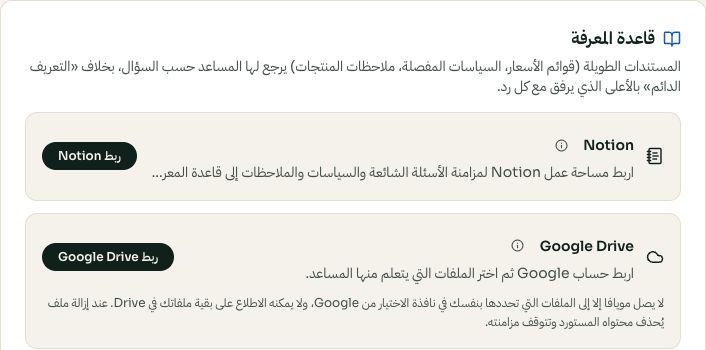
اختر مصدر المعرفة؛ ربط Google Drive وNotion مستقل. قد تختلف الخيارات المتاحة والقيم المحفوظة حسب إعدادات حسابك. اضغط الصورة للتكبير. - 2
اربط واختر الصفحات
اضغط «ربط Notion»، سجل دخولك، ومن شاشة الموافقة في Notion اختر الصفحات اللي تبي تشاركها، ما ينقرأ إلا اللي اخترته.
- 3
زامن
ارجع لمويافا واضغط «زامن الآن». صفحاتك تصير مستندات معرفة يجاوب منها المساعد. وأعد التزامن كل ما حدثتها في Notion، التغييرات ما توصل لحالها.